
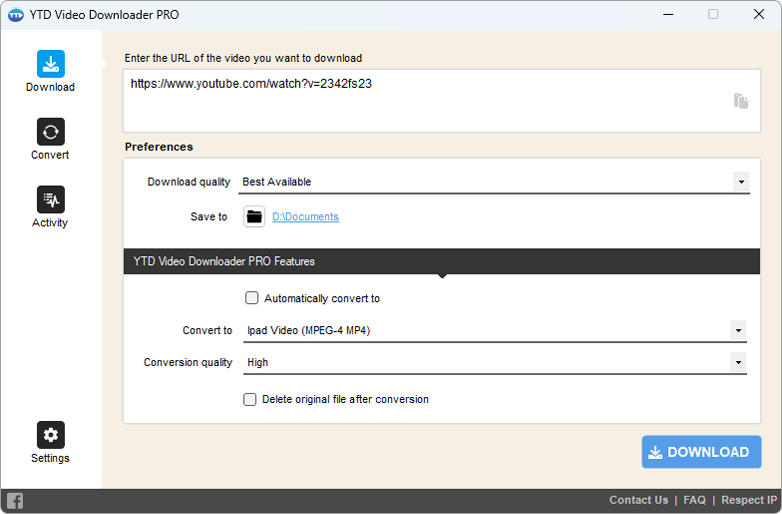
YTD Video Downloader in action

YTD Video Downloader & Video
Converter for Windows PC or Laptop

Download video, audio, playlists for later watch.
Convert video to MP3 and video to MP4.

YTD Video Downloader is also available for MacOS

Get YTD Video Downloader for Mac

How to install YTD Video Downloader for Windows

YTD app for Windows is super easy to install and it will only take a few moments

Step 01
Download YTD
Get YTD for Windows v7.3.1. No fees and virus free. Click here to start downloading.
Step 02
Install YTD
Follow the steps from the Windows installer to finish adding YTD on your computer.
Step 03
Enjoy!
Start downloading your favorite videos with YTD Video Downloader.

Check out other awesome features

Save videos from all popular video sites

Get video and audio from YouTube, Vimeo, TikTok, Reddit, SoundCloud, Bilibili, Facebook, Instagram, DailyMotion, VK, Twitch, and many more!

Watch videos offline

Watch the content you downloaded without an internet connection - no buffering, no traveling wi-fi costs!

Download at Ultra-Fast Speed

YTD is designed to download videos quickly, so you won't have to wait long to enjoy your favorite videos offline.

Automatic resume/retry

If your internet connection fails, YTD will automatically resume/retry.

Advanced panel where you can monitor activity

Easily monitor your download and convert videos activity on our panel.

30-day money back guarantee

Our client support dedicated team is always here to help solve your requests. 30-day money-back, it's guaranteed!

Frequently Asked Questions about YTD Video Downloader

YTD Video Downloader is a software that allows you to download videos from various streaming websites such as YouTube, Vimeo, Facebook, and many others.

YTD Video Downloader is available in both a free and paid version. The free version allows you to download videos, but it has some limitations, such as no batch downloads and slower download speeds. The paid version, on the other hand, offers more features and faster downloads.

To download a video using YTD Video Downloader, simply copy the URL of the video you want to download and paste it into the software. Then choose the format and quality you want and click the download button.

YTD Video Downloader is safe to use as long as you download it from a trusted source. However, some antivirus software may flag it as a potentially unwanted program or adware, but know these are all false positive.

Yes, YTD Video Downloader supports downloading videos in various resolutions and formats, including HD (720p, 1080p), and 4K. However, the video quality available for download may depend on the original video's resolution and the website's terms of service.

Testimonials

Our users enjoy YTD Video Downloader but you don't have to take our word for it, read for yourself.

Maurice Pereira

We can watch TV like we never have before. We can enjoy our favorite shows and totally new videos at any time and at any place.

Danny Corbet

It's hard to find reliable software these days. YTD simply delivers!

Ian Smith

You know it's good when no matter the time this software helps you download any video you wish at any moment.