Download YTD Video Downloader
Run the YTD Video Downloader installer
Click ‘Accept and Install’
All done! Start downloading your videos!
Installation instructions for:
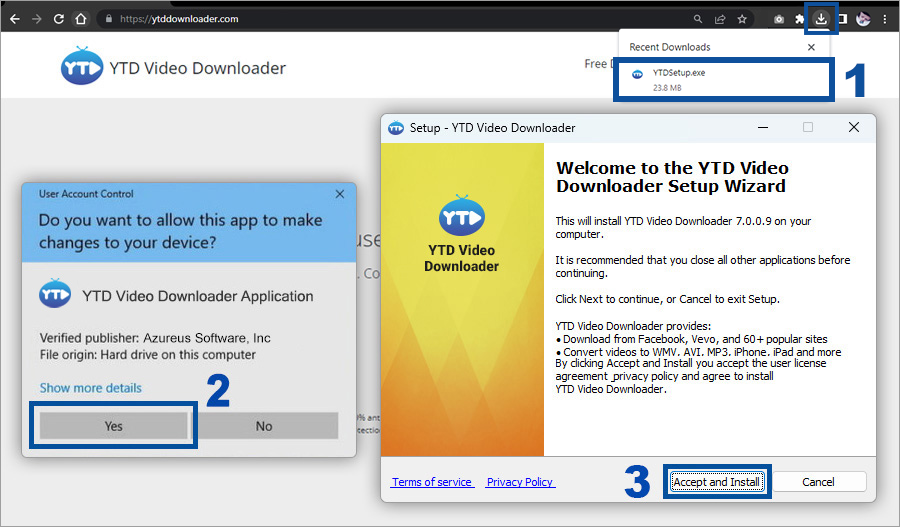
Google Chrome
Mozilla Firefox
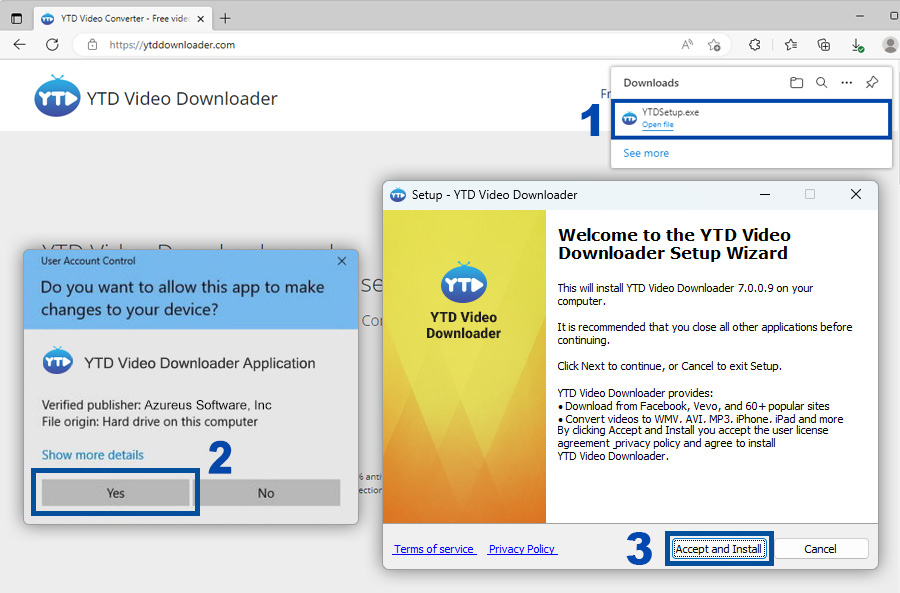
Microsoft Edge
Step 1: In the bottom left corner of the screen you'll see the download bar. Click on the YTDSetup.exe item.
Step 2: Press Yes in order to start the YTD Video Downloader product install.
Step 3: Follow the steps listed in the installer to successfully install the application.
Step 1: Click Save File so the YTD Video Downloader installer download can begin.
Step 2: Click on the download icon at the top right of your browser.
Step 3: The downloads window will pop up. All you have to do is double-click or right click and "Open" on YTDSetup.exe to initiate the installation
Step 4: Press Yes in order to start the YTD Video Downloader product install.
Step 5: Follow the steps listed in the installer to successfully install the application.
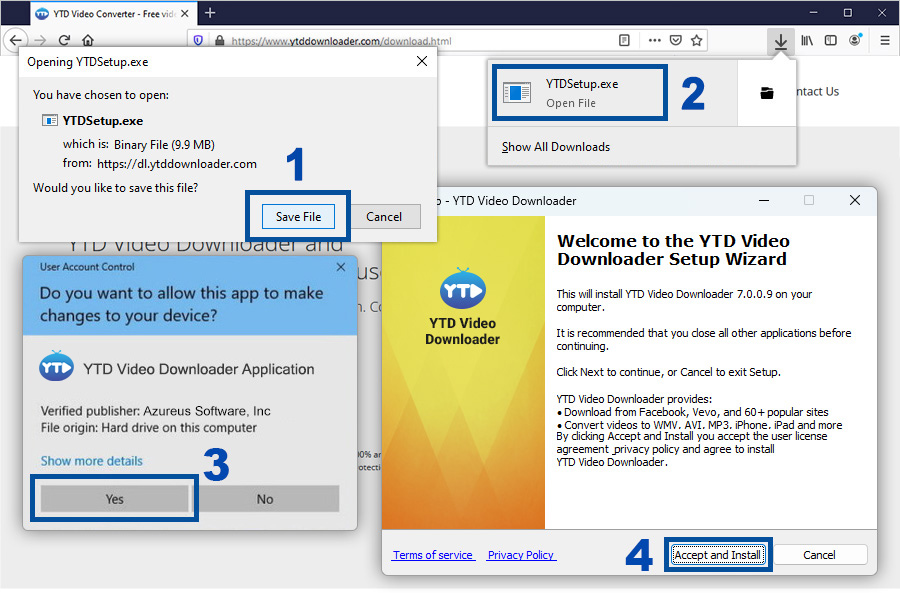
Step 1: In the top right of the screen you'll see the download popup. Click on YTDSetup.exe to start the installation process.
Step 2: Press Yes in order to start the YTD Video Downloader product install.
Step 3: Follow the steps listed in the installer to successfully install the application.